

Imagine opening your phone to save an important video, only to see “Storage Almost Full.” You delete a few photos, remove some apps, and free up a little space—but after a few days, the problem comes back. When your phone is filled with photos, videos, documents, and other files, managing storage can quickly become a headache.
This is where cloud storage can make life easier. Instead of keeping every file on your phone, you can back up important data online and access it whenever you need it from different devices.
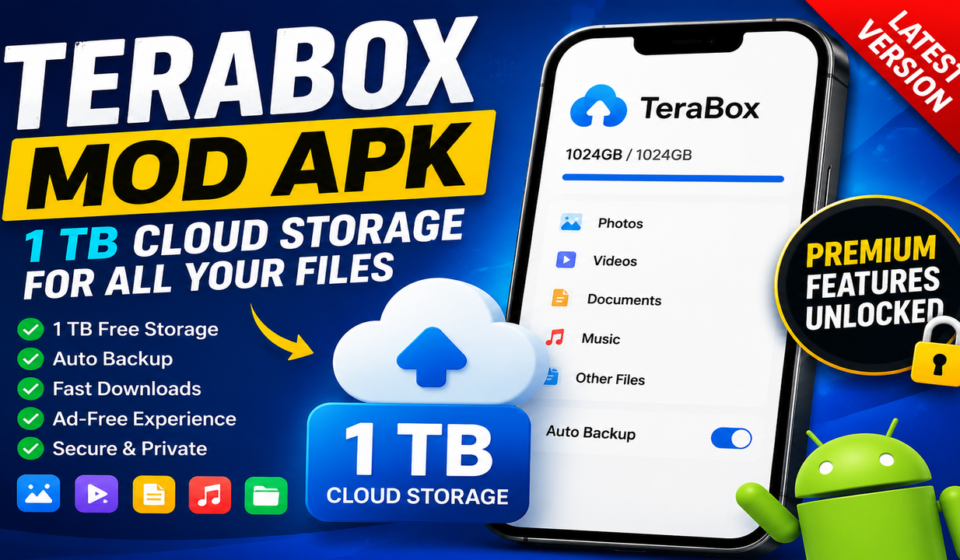
TeraBox is one cloud storage option that lets users store, back up, access, and share files. Its official service advertises up to 1 TB (1,024 GB) of cloud storage, along with features for file backup, sharing, large-file transfers, and access across supported devices.
But there is another reason many Android users search for TeraBox MOD APK. They are often looking for additional features or premium-style options without taking out a subscription.
Before installing a modified APK, though, it is worth understanding what TeraBox actually offers, what a MOD APK changes, and what you should check to avoid installing an unsafe or unreliable version. This guide covers all of that in simple terms so you can make a more informed choice.
If you enjoy games that involve careful planning and value calculations, you may also find our guide on Grow a Garden plant value calculator useful. It explains how plant weight, rarity, mutations, and other factors can affect crop values and trade decisions.
What Is TeraBox?
TeraBox is a cloud storage service that lets you keep files online instead of relying entirely on your phone or computer’s internal storage.
You can use cloud storage for things such as:
- Photos
- Videos
- Documents
- Music
- Folders
- Other personal files
The main advantage is simple: your files are stored online, so you can access them from supported devices instead of keeping everything on one phone.
TeraBox also supports file backup and sharing, making it useful for people who regularly move large amounts of data between devices.
What Is TeraBox MOD APK?
A TeraBox MOD APK is an unofficially modified Android package based on the TeraBox application.
Unlike the standard application distributed through official channels, a modified APK may change or unlock certain app features. These changes depend entirely on the person or group that created the modification.
This is important because not every MOD APK is the same.
One modified version may advertise an ad-free experience, while another may claim to unlock premium features, faster downloads, or additional settings.
Therefore, you should always check exactly what version you are installing and where the APK comes from.
Why Do Users Look for TeraBox MOD APK?
The main reason people search for modified versions is usually access to features that are otherwise restricted by a free or paid plan.
Commonly advertised MOD features include:
- Ad-free usage
- Premium-style features
- Faster transfer speeds
- Automatic backup
- HD video playback
- Private storage
- Parallel downloads
- Additional download options
However, these features are claims made about modified versions, not something you should automatically assume every MOD APK provides.
The official TeraBox service itself offers different membership benefits. Its current premium information includes features such as larger storage, higher-quality video playback, batch downloads, automatic backup, encrypted/private storage, and an ad-free experience.
1 TB Cloud Storage for Your Files
One of TeraBox’s biggest attractions is its large storage capacity.
The official service currently advertises 1,024 GB (1 TB) of cloud storage.
That can make a big difference if your phone is constantly running out of space.
Instead of keeping every photo and video locally, you can move important files to cloud storage and access them later.
For example, you could use cloud storage for:
- Family photos
- Travel videos
- School documents
- Work files
- Large media collections
- Backup folders
The important point is that cloud storage should complement your device storage rather than replace good file-management habits.
Automatic Photo and Video Backup
Losing photos because of a damaged, lost, or reset phone can be painful.
Automatic backup helps reduce that risk.
TeraBox supports automatic backup for photos, videos, and folders, allowing your important files to be uploaded to the cloud rather than remaining only on your device.
Once your backup is configured, you do not have to remember to manually copy every new photo.
This is especially useful for people who take lots of pictures or record large videos regularly.
Store and Share Large Files
Large files can be difficult to send through ordinary messaging apps.
Cloud storage gives you another option.
TeraBox supports large-file transfers and file sharing, allowing users to upload files to the cloud and then share them through links. Official TeraBox information says its service supports large files and password-protected, time-limited sharing links.
This can be useful when you need to send:
- Large videos
- Photo collections
- Documents
- Project files
- Backup folders
Instead of repeatedly uploading the same file to different people, you can share access to the cloud copy.
Access Files Across Multiple Devices
Another benefit of cloud storage is multi-device access.
You may take photos on your Android phone but later want to view them on your computer. With cloud storage, you can access the same account from supported devices.
TeraBox provides apps and access options for Android, iOS, Windows, macOS, and the web.
This makes it easier to move between devices without constantly connecting USB cables or sending files to yourself.
HD Video Playback
Cloud storage is not only about keeping files.
TeraBox also provides video playback features. Its official service lists HD video playback, including 1080p options for supported plans.
This can be useful when you want to preview or watch a stored video without first downloading the entire file to your device.
The exact playback quality and available features can depend on the account plan and current service rules.
Private Storage and File Protection
Cloud storage raises an obvious question:
Are my private files safe?
TeraBox states that it uses security technologies and privacy controls to protect stored data. Its published information mentions SSL/TLS protocols, encryption technologies, access controls, and private storage features.
Official TeraBox information also describes a password-protected private area for sensitive files.
Still, users should remember that no online service should be treated as completely risk-free.
Use strong passwords, enable available security protections, and avoid uploading extremely sensitive information unless you understand the service’s privacy terms.
TeraBox Free vs Premium vs MOD APK
Understanding the difference between these versions can prevent confusion.
Standard TeraBox
The standard version is the official service available through TeraBox’s supported platforms.
It provides cloud storage and features according to the current free plan.
TeraBox Premium
Premium plans provide additional benefits depending on the subscription.
Current official information lists benefits such as increased storage, faster downloads, ad-free use, higher-quality playback, larger file uploads, private storage, and other features.
TeraBox MOD APK
A MOD APK is an unofficial modification.
It may claim to unlock premium features, remove advertisements, or change other limitations.
The problem is that these changes are not controlled by TeraBox itself. A modified APK can therefore behave differently from the official application.
Is TeraBox MOD APK Safe?
This is one of the most important questions to ask before installing any modified APK.
There is no universal answer because the safety of a MOD APK depends on the specific modified file and its source.
A modified application can be changed by a third party, which means you cannot assume that it has the same security controls as the official application.
Before installing an unofficial APK, consider:
- Who published the file?
- Is the APK from a trustworthy source?
- Has the file been scanned for malware?
- Does it request unnecessary permissions?
- Is the APK version clearly identified?
- Does the download page explain what was modified?
- Are there reports of suspicious behavior?
If an APK asks for permissions that do not make sense for its purpose, that should be a warning sign.
How to Install a TeraBox APK on Android
If you decide to install an APK outside Google Play, take extra care.
First, download the APK only from a source you trust.
Then:
- Check the APK version and file information.
- Scan the downloaded file with a reputable security tool.
- Review the permissions requested by the application.
- Keep your Android device updated.
- Install the APK only if you understand the risks.
- Open the app and check that it behaves as expected.
- Avoid entering sensitive account information if you do not trust the modified application.
For the safest experience, use the official TeraBox Android application from its official distribution channels. TeraBox itself provides an Android download option on its website.
What Should You Check Before Downloading a MOD APK?
Do not choose an APK simply because the page says “Premium Unlocked.”
Look at the actual details.
Check the Version
Make sure the version number is clearly displayed.
An outdated APK may not work correctly with the current service.
Check the File Size
A major difference in file size compared with the normal application can be worth investigating.
Check Permissions
The requested permissions should make sense for what the application does.
Check Updates
A good download page should clearly explain when the APK was last updated.
Check the Source
Avoid random APK files shared through unknown websites, forums, or shortened links.
Scan Before Installing
A malware scan adds another layer of protection before you install an unofficial application.
TeraBox for PC and Other Devices
TeraBox is not limited to Android.
The official service provides access through desktop and mobile platforms, allowing users to manage files across devices.
The PC version can be particularly useful if you regularly work with large files.
A larger screen makes it easier to organize folders, upload documents, manage backups, and transfer files.
This also means that your cloud storage workflow does not have to depend on one smartphone.
Who Can Benefit From TeraBox?
TeraBox can be useful for different types of users.
Android Users
If your phone has limited storage, cloud backup can help keep your device organized.
Content Creators
People who record lots of photos and videos can use cloud storage to keep larger media collections accessible.
Students
Students can use cloud storage for assignments, PDFs, presentations, and other documents.
Remote Workers
Cloud storage makes it easier to access work files from different devices.
Families
Photos and videos can take up a huge amount of phone storage. Moving backups to the cloud can help free local space.
Tips for Managing Your Cloud Storage
Having a large storage limit does not mean you should upload everything without organization.
A few simple habits can make your cloud account much easier to manage.
Create folders: Separate photos, videos, documents, and other files.
Delete duplicates: Do not keep multiple copies of the same file unnecessarily.
Review backups: Check what your automatic backup is uploading.
Protect your account: Use a strong password and available security features.
Keep important files organized: A clear folder structure saves time later.
Do not rely on one copy: For extremely important files, keep another backup in a separate location.
Final Thoughts
TeraBox is more than a place to upload a few files. Its cloud storage, automatic backup, file sharing, multi-device access, and media features make it useful for people who regularly work with photos, videos, documents, and other large files. The official service currently offers up to 1 TB of cloud storage on its advertised free tier, while paid plans add additional storage and features.
A TeraBox MOD APK can look attractive if you want premium-style features without a subscription, but you should remember that it is an unofficial modified application. Its safety and reliability depend on the specific APK and its source.
If you decide to explore a modified version, check the APK carefully, scan it before installation, review its permissions, and understand the risks before signing in.
For users who simply want reliable cloud storage and file backup, the official TeraBox app remains the safer starting point.